Best Software for 3D Printing in Schools, Enterprises, and Makerspaces
Choose the best software for 3d printing with 3DPrinterOS. Manage teams and printers easily—try 3DPrinterOS for seamless control today!
Are all 3D printing software platforms created equal? Not quite. The best software for 3D printing depends on whether the user is a classroom teacher, a product engineer, or a makerspace coordinator. Each group confronts different obstacles, from basic classroom engagement to the complexity of managing hundreds of print jobs across multiple locations.
Professionals in enterprise labs might demand streamlined workflow, secure user management, and detailed reporting. Makerspaces prefer flexibility and control for a diverse membership. School environments need simplicity, easy onboarding, and options that nurture learning. While the end goal—turning digital designs into physical objects—is shared, the software for 3D printers that fits one setting may frustrate another. Picking the right platform starts with clarifying who will use it and what challenges need solving.
Must-Have Features: What Powers the Best 3D Printing Software?
Some essentials make 3D software for 3D printer management stand out. Focus on these features, and any 3D printing program—whether cloud-based or local—will serve its users better:
1. Remote Access
Remote access allows users to start, stop, and monitor prints from anywhere. This is vital for enterprises managing multiple sites, as well as schools, where teachers and students may be spread across different classrooms or campuses.
2. Usage Tracking & Accountability
Usage logs and tracking features help monitor who prints what, how much material is consumed, and where problems occur. This data streamlines budgets, simplifies troubleshooting, and ensures responsible operation in collaborative settings.
3. Cloud Slicing & Centralized Management
Cloud slicing lets projects move smoothly from design to print, without tying up local machines or requiring heavy software installations. Centralized device management and job queuing ensure maximum uptime and efficient sharing of printers, especially in high-traffic labs or makerspaces.
Side-by-Side: Categories of 3D Printing Software
Here’s a look at some common types of software for 3D printers and what they do best:
Software Category
Description
Pros
Cons
Browser-Based CAD
Tinkercad, OnShape
Simple, free for education, fast onboarding
Limited advanced features, less control
Professional CAD
Fusion 360, SolidWorks, Rhino3D
Complex designs, industry-standard tools
Steep learning curve, costly for licenses
Slicers
Cura, PrusaSlicer, Bambu Studio
Prepares files for most printers, lots of controls
Local only, weak on cloud/management
All-in-One Cloud Platforms
3DPrinterOS, Formlabs, BuildBee
Remote access, tracking, cloud slicing, device & user management
Subscription pricing, internet required
Education-focused programs (like Tinkercad and Fusion 360 for schools) make creation fun and accessible but may fall short for fleet-scale management or secure enterprise IT needs.
Standard slicers (like Cura and PrusaSlicer) excel at transforming 3D models into printable files but don’t offer robust multi-user management or reporting.
For organizations scaling up, cloud-based solutions combine powerful features into a single package. These allow real-time monitoring, batch processing, and centralized control—sometimes across different brands and models in the same fleet.
Why Does 3DPrinterOS Shine for Busy Labs, Schools, and Enterprises?
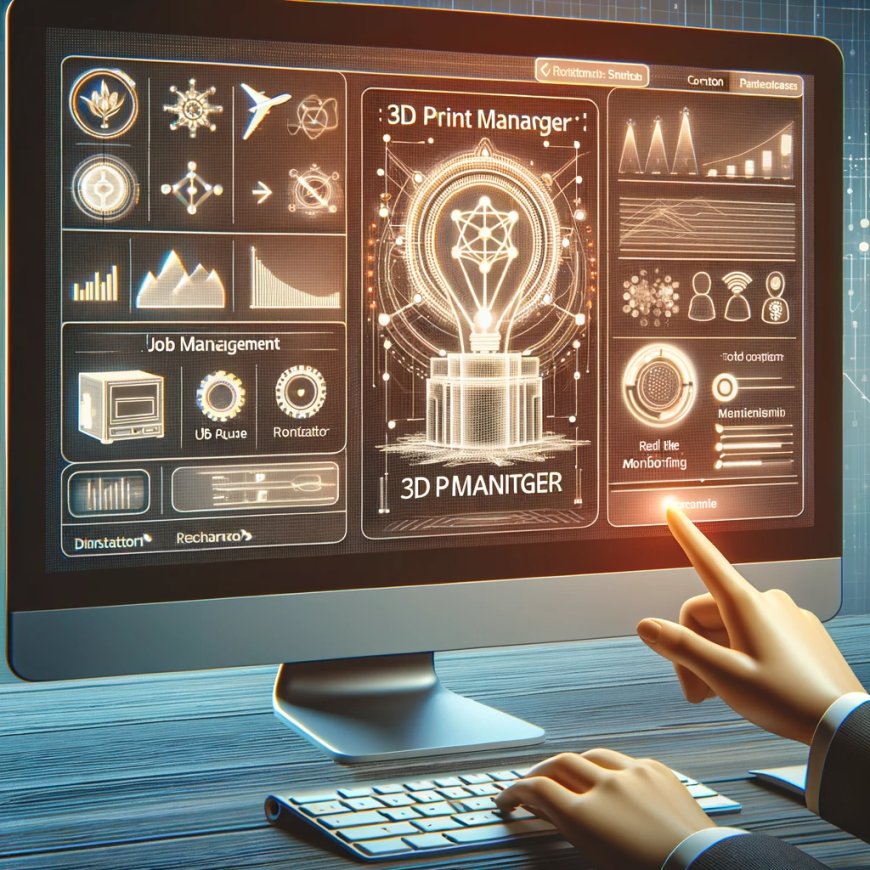
When the challenge goes beyond a single printer or a single user, 3DPrinterOS emerges as a true all-in-one platform. Designed from the ground up for multi-user and multi-device settings, it allows teachers, students, engineers, and managers to get more done with less hassle:
- Remote Management: Monitor and control multiple printers from any location, browser, or device—no special software installation required.
- Print Queue & Workflow Management: Schedule, approve, or reorder jobs in a cloud-based queue. This dramatically improves efficiency and reduces downtime for crowded labs or classrooms.
- Usage Logs and Analytics: See who used each printer, for how long, and with what material. These reports assist with planning, budgeting, and troubleshooting issues more quickly.
- Multi-Brand Support: Integrate a fleet with various printer makes and models under one dashboard, including Bambu Lab, Prusa, Dremel, and Ultimaker.
- Onboarding and Permissions: Manage users and roles easily—ideal for students, instructors, or enterprise teams needing tiered access or departmental grouping.
- Secure Cloud Infrastructure: All files and user data are managed with high-grade security protocols, making the system reliable for businesses and educational institutions alike.
- Built-In Slicing and File Prep: Move from CAD file to finished print job without toggling between separate applications or worrying about compatibility.
Case Snapshots: Software in Action
1. Schools
At Duke University, switching to 3DPrinterOS allowed faculty and students to track print activity easily, manage crowded labs, and produce hundreds of jobs with a small support staff. Custom reporting and centralized dashboards took the guesswork out of scaling their operation.
2. Enterprise Labs
Companies and R&D teams appreciate software that syncs to their security requirements, enables remote job dispatch across global branches, and offers detailed analytics for productivity and resource allocation.
3. Makerspaces & Service Hubs
Makerspaces thrive when members access a range of devices and tools without conflict. Cloud platforms let admins set print rules, review history, enforce safety protocols, and help members go from idea to print with minimal friction.
Choose Software Built for Scale and Collaboration
The best software for 3D printing adapts to its setting—whether in schools that prioritize learning and access, enterprises seeking productivity and security, or makerspaces embracing variety. Simple tools shine for getting started, but workflow-centric platforms like 3DPrinterOS unlock genuine scale, security, and collaboration.
Looking to upgrade 3D printing management in any setting? 3DPrinterOS delivers advanced workflow, user tracking, and real-time control for schools, enterprise facilities, and creative labs everywhere. Streamline your process from idea to print, whether leading a classroom, running a large lab, or powering a growing makerspace.
Try 3DPrinterOS today and experience seamless 3D printing management—built for how teams really work, create, and share.