How to Safely Recover Lost Files: Hard Drive Data Recovery Tips
Learn expert hard drive data recovery tips to safely recover lost files. Discover DIY methods, professional services, and prevention strategies today.

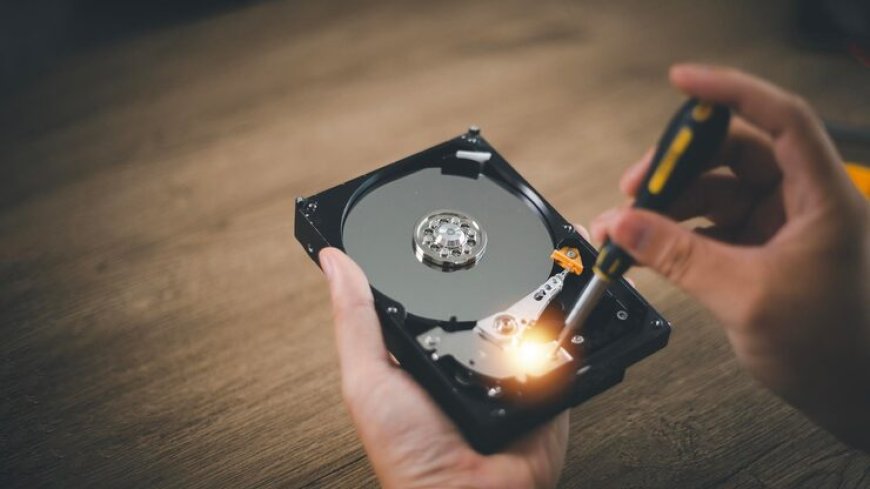
Losing important files due to a hard drive failure can be a stressful experience, whether it's personal photos, business documents, or essential work data. Understanding hard drive data recovery techniques can save you time, money, and heartache. In this guide, we’ll explore practical methods to retrieve lost files, explain common causes of data loss, and provide actionable tips to prevent future issues. Whether your hard drive has crashed or files have been accidentally deleted, knowing the right steps can significantly improve your chances of recovery.
Common Causes of Hard Drive Data Loss
Hard drive failures can occur for several reasons, and identifying the cause can help determine the best recovery method. Some of the most common causes include:
-
Physical Damage: Dropping a hard drive or exposure to water and extreme temperatures can damage its internal components. Physical damage often requires professional intervention to recover data.
-
Logical Errors: Corrupted file systems, accidental deletion, or formatting errors can lead to inaccessible files without physically damaging the drive.
-
Virus or Malware Attacks: Malicious software can corrupt, encrypt, or delete data, making recovery more challenging.
-
Hardware Malfunctions: Aging drives, power surges, or mechanical failures can result in sudden data loss.
Understanding these causes can help you choose the most effective approach to recover your lost files safely.
DIY Hard Drive Data Recovery Methods
For minor data loss incidents, you can try some reliable DIY methods before seeking professional help:
-
Check the Recycle Bin: Deleted files often remain in the Recycle Bin and can be restored easily.
-
Use File Recovery Software: Applications like Recuva, EaseUS, or Disk Drill can scan your drive for lost files. These tools work best when the drive is still readable.
-
Restore from Backup: Regular backups are invaluable. If you have a recent backup, restoring lost files is straightforward.
-
Run CHKDSK or Disk Utility: Windows’ CHKDSK and macOS Disk Utility can fix logical errors that prevent access to files.
While these methods can be helpful, avoid writing new data to the affected drive, as it can overwrite lost files and make recovery difficult.
When to Use Professional Hard Drive Data Recovery Services
Sometimes, DIY methods aren’t enough, especially when facing severe physical damage or complex corruption. A hard drive data recovery service specializes in safely extracting data from damaged or failing drives. These services offer:
-
Advanced tools and cleanroom facilities for physical repairs
-
Expertise in recovering data from RAID arrays and SSDs
-
Secure methods to prevent further data loss
Professional recovery services have a higher success rate and are often the best choice for critical or irreplaceable data.
Steps to Recover Files from Hard Drive
If you need to recover files from hard drive, it’s essential to follow a careful process to maximize recovery chances:
-
Stop Using the Drive: Continuing to use a failing drive increases the risk of permanent data loss.
-
Assess the Damage: Determine whether the issue is physical or logical. This helps decide whether DIY methods are sufficient or professional help is needed.
-
Use Recovery Software: For logical errors, scanning the drive with trusted recovery software can locate deleted or corrupted files.
-
Consult Professionals if Needed: For physically damaged drives or unsuccessful software recovery, send the drive to a certified recovery service.
Following these steps can save both time and valuable data while reducing the risk of making the problem worse.
Tips to Prevent Future Data Loss
Prevention is always better than recovery. Here are some strategies to protect your data:
-
Regular Backups: Keep multiple backups, including cloud storage and external drives.
-
Use Antivirus Software: Protect your system from viruses that could corrupt or delete data.
-
Avoid Physical Damage: Handle drives carefully and store them in safe, dry environments.
-
Monitor Drive Health: Tools like SMART monitoring can alert you to potential hardware issues before they cause failures.
Implementing these habits ensures your data remains safe and minimizes the need for recovery services.
Summary
Hard drive failures and data loss can be daunting, but with the right knowledge, recovery is often possible. Start by identifying the cause of data loss and using DIY recovery methods if appropriate. For severe damage, a hard drive data recovery service can retrieve critical files safely. Regular backups and proper drive care are essential to prevent future issues. Whether you’re recovering files for personal use or business needs, staying informed about data recovery techniques is key to safeguarding your information.
FAQ
1. Can all lost files be recovered from a hard drive?
Not always. Success depends on the type of damage and whether data has been overwritten. Professional services increase the chances of full recovery.
2. How much does a hard drive data recovery service cost?
Costs vary based on the severity of the damage and the type of drive. Simple logical recovery is cheaper than physical repairs in a cleanroom environment.
3. Is it safe to use DIY recovery software?
Yes, for logical errors on a functioning drive. However, avoid DIY methods for physically damaged drives to prevent permanent data loss.